Pick your patch.
Every plot has its own small list. Move between them without losing the checkmarks you have already made.
A LITTLE SPACE FOR SHARED GROWING
A little less “who did what?” A little more time in the garden. Give your shared patch a place for the small things.
Step into the gardenNo sign-up. Just a little room to try things.
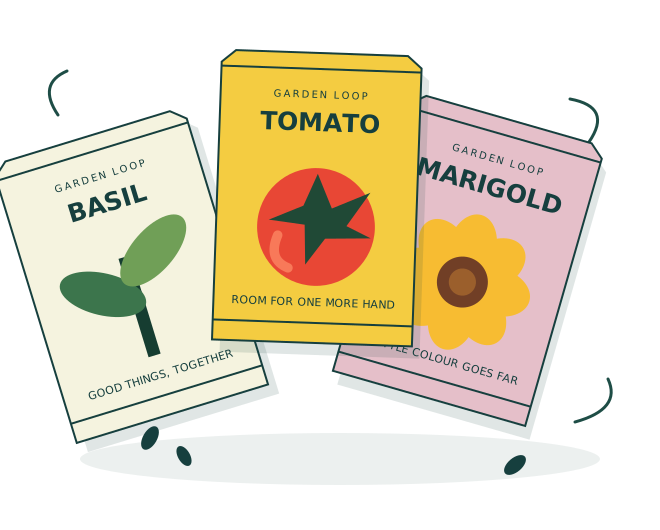
A shared patch.
A clearer picture.
SOUND A LITTLE FAMILIAR?
The useful detail is somewhere between the photos and the good mornings. Give the little jobs a place of their own, so everyone can see the same picture.
Let’s make a little spaceMEET THE SHARED PATCH
Pick a plot. Try a checkmark. See how the small things add up.
This is a fictional garden you can explore.
The plot beside the shared tool shed. A few small jobs to keep the next visit simple.
Just a local demo. Your changes stay in this page session.
SMALL JOBS. SHARED PICTURE.
Every plot has its own small list. Move between them without losing the checkmarks you have already made.
A task is open until you mark it done. Change your mind? Reopen it. The counts follow the list, every time.
A local note carries the selected plot and an exact snapshot of its tasks. The next useful detail has somewhere to sit.
A LITTLE NOTE FROM THE PATCH
The spare labels
are in the tray
by the sketch.
Small detail. Useful context.
LEAVE SOMETHING USEFUL
“The spare labels are in the tray beside the sketch.” A small detail that makes the next step easier to find.
“Which shelf should the shared basket live on?” Leave the question visible instead of guessing the answer.
Use a clear title and the plot it belongs to. Leave out personal information and anything someone did not agree to share.
ROOM TO GROW. CLEAR LIMITS.
A good shared space starts with knowing what belongs in it. Here is exactly what this little demo does.
No account, cloud storage or notifications. Your changes exist in this page session and disappear on reload or reset.
These plots, tasks and notes are fictional examples. They do not reserve a real plot, assign a real person or organize a real event.
A place to try lists and notes. No plant-health assessment, growing advice or promises about what a garden will produce.
TRY A LITTLE HANDOVER
A useful detail, an open question, a place for the spare labels. Start with something small.
0 of 3 tasks complete
A local, unsent note for a fictional garden. Nothing is sent or saved. Leave out names, addresses and private details.
A FEW GOOD QUESTIONS
No. Garden Loop is an imagined coordination app, and this garden is a local interactive demonstration. All plots, tasks and examples were written for this page. There are no real members, reservations or live garden records.
They stay only in the current page session. Nothing is sent to a server, written to browser storage or shared with another person. Reloading, leaving the page, resetting the demo or changing its actual configured content starts a fresh session.
No. All, Open and Done only change which tasks you see. The checkmarks, plot counts and total count remain the same. A filter with no matching tasks says so, without inventing a new task.
Your accepted title and message, the selected plot, and the exact current open or done state of every task in that plot. The summary includes tasks hidden by a filter. Editing the note, selecting another plot or changing a task removes the old summary until you prepare a fresh one.
The original example checkmarks return, the first configured plot is selected, the filter returns to All, and the note fields and summary clear. Only this instance of the demo changes.